
Download PhotoToFilm – Photo to Film, Photo Slideshow, Video Maker, Photo Editor, Movie Maker
Overview
PhotoToFilm is a mobile application tailored for digital camera enthusiasts aiming to transform static photographs into dynamic, engaging video content. Designed with simplicity and creativity in mind, the app bridges the gap between photography and videography by enabling users to craft cinematic slideshows with minimal effort. It addresses the common challenge of making photo collections feel lifeless or repetitive by introducing motion, music, and professional-grade effects that elevate visual storytelling.
The app serves a diverse audience, from casual users sharing memories on social media to hobbyists experimenting with visual narratives. Its core value lies in democratizing video production—offering tools typically reserved for professional editing software in a format accessible to beginners and intermediates alike. While the developer, PhotoToFilm Inc., is not further detailed in available information, the app’s focus on usability and creative output suggests a clear commitment to user-centric design.
Real-world applications include creating birthday tributes, travel vlogs, wedding montages, or personal documentaries. In the broader app ecosystem, PhotoToFilm fills a niche between photo albums and full-featured video editors, offering a streamlined alternative for those who want to add motion and emotion to still images without mastering complex software.
Key Features & Functionality
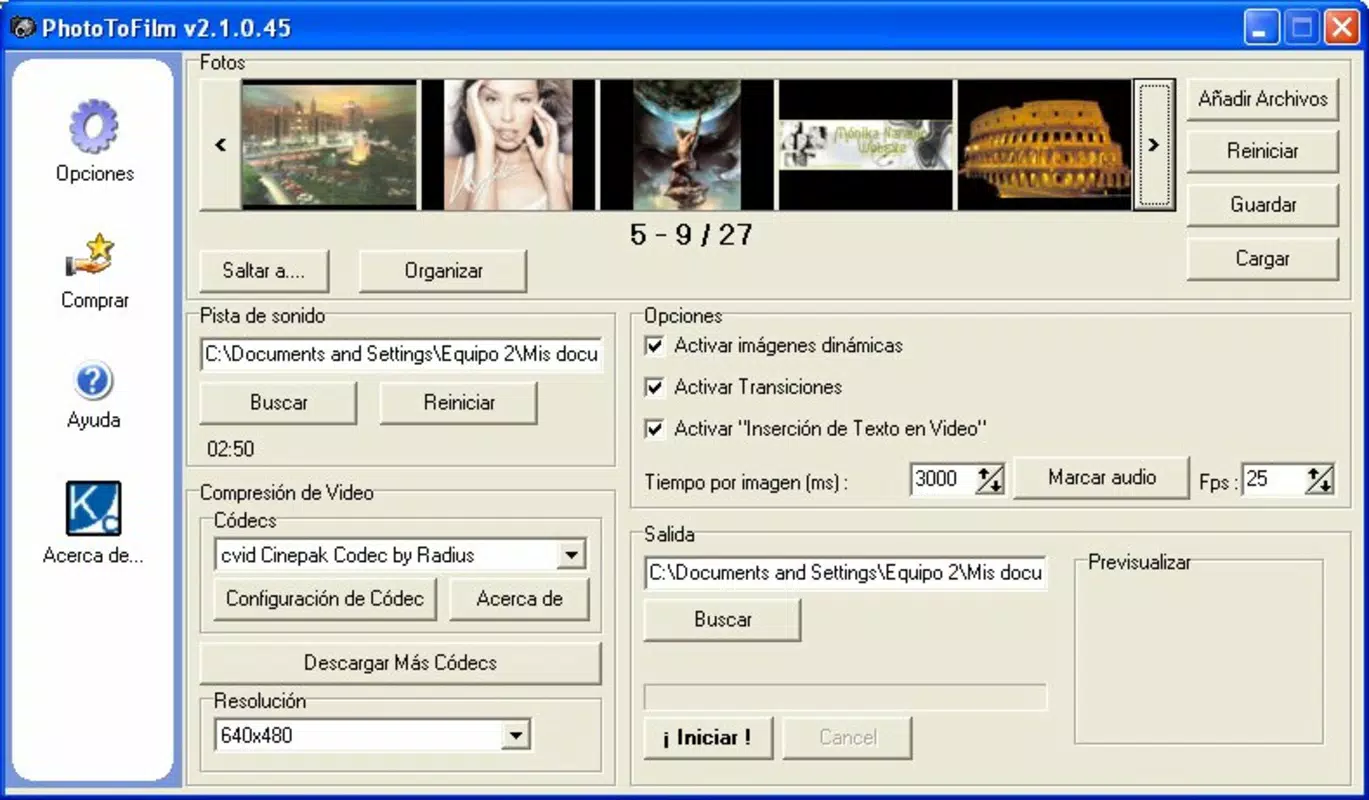
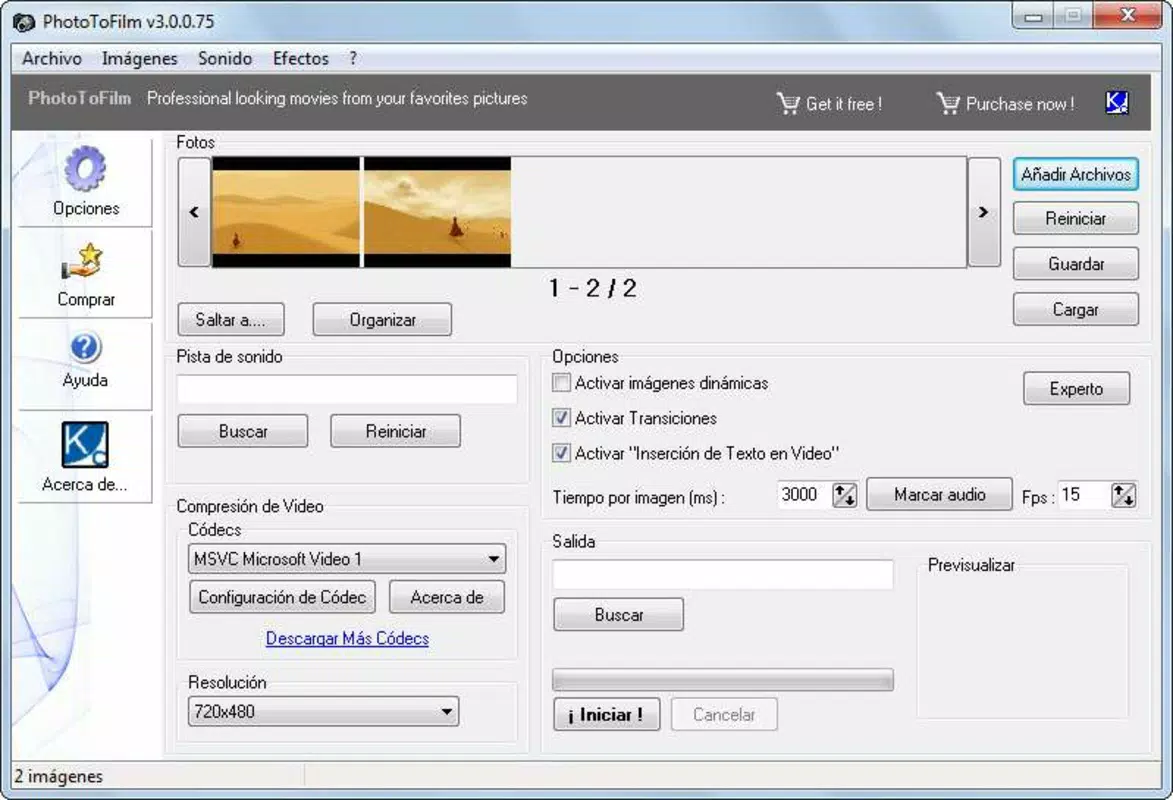
PhotoToFilm delivers a suite of tools that simplify the process of transforming photos into compelling videos. The app’s user-friendly interface ensures that even those without prior editing experience can navigate its features with ease, reducing the barrier to creative expression.
- User-Friendly Interface: The app’s layout is intuitive, allowing users to access core functions—photo selection, effect application, music integration, and export—without confusion or delays. This design minimizes the learning curve, enabling rapid project initiation.
- Professional Effects: With a selection of pre-built visual enhancements, users can apply cinematic filters, animated overlays, and depth effects to individual photos, giving them a polished, high-end appearance that rivals professional productions.
- Simple Movie Creation Process: The workflow is streamlined: select images, apply transitions, insert background music, and encode the final video. This linear process ensures that users remain focused on creativity rather than technical complexity.
- Customizable Transitions: A range of transition styles—such as fades, slides, zooms, and wipes—allows users to tailor the flow between images. This customization supports narrative pacing and visual rhythm, enhancing the emotional impact of the final piece.
- Rapid Encoding: Once the project is complete, the app efficiently processes the video, minimizing wait times. This feature is particularly valuable for users who need to share content quickly across platforms.
For example, a user planning a travel recap can import photos from their journey, apply a “Golden Hour” filter, use a sunset transition between images, and add a soft acoustic track—all within minutes. The result is a cohesive, emotionally resonant short film ready for sharing.
Interface, UX & Performance
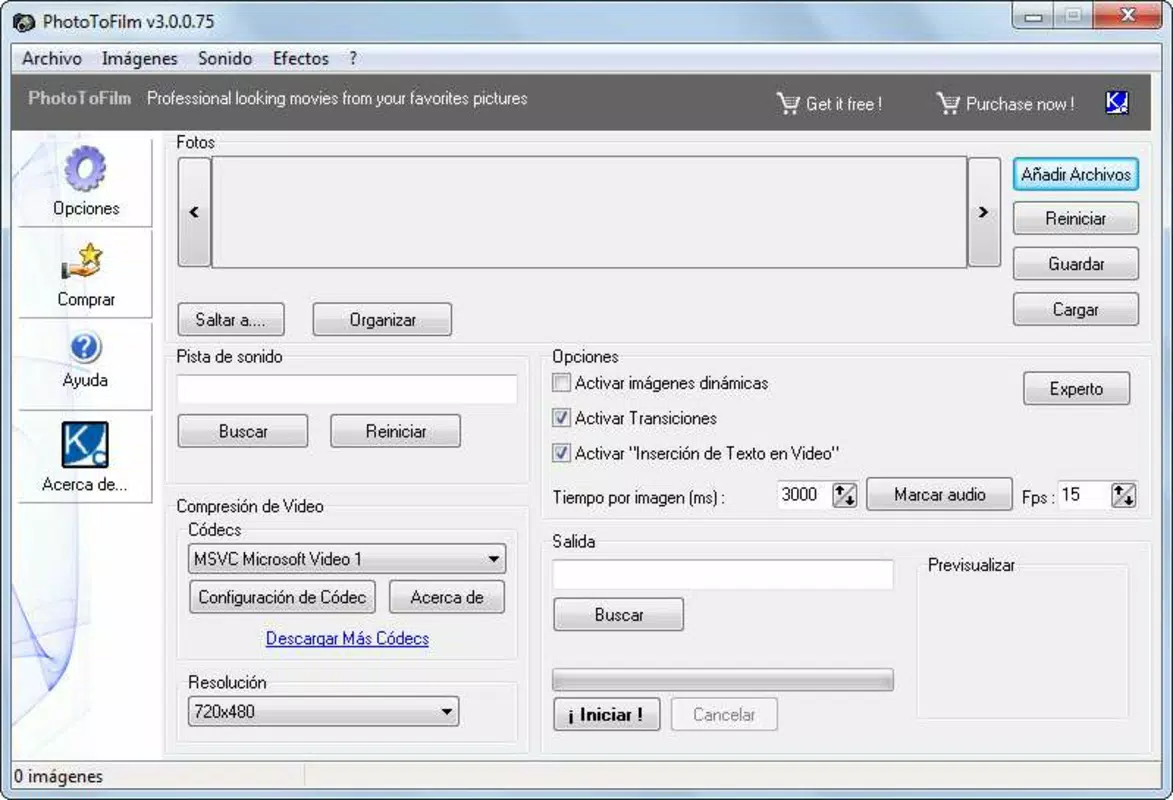
PhotoToFilm features a clean, minimalist interface that prioritizes accessibility and visual clarity. Navigation is straightforward, with clearly labeled buttons and a logical flow from photo import to export. The layout places essential tools within easy reach, reducing the need for multiple taps or hidden menus.
Visual style leans toward modern and functional, with a dark-themed background that enhances image visibility and reduces eye strain during editing. Transitions between screens are smooth, and the app responds promptly to user inputs, indicating solid responsiveness.
Although the developer did not list formal performance metrics, the app’s design suggests optimization for a range of Android devices. Users on mid-tier and higher-end smartphones should experience stable operation during editing and encoding. The app’s 45.6 MB size indicates efficient resource usage, which contributes to faster loading and lower memory consumption.
Stability appears to be a focus, as the app enables seamless project creation without reported crashes or freezes. However, specific requirements for device RAM, processor, or screen resolution were not disclosed.
Platform Compatibility & Technical Requirements
PhotoToFilm is available exclusively on the Android platform. The current version is 1.2.3, and the app occupies 45.6 MB of storage space. The developer has not specified minimum OS requirements or compatibility details for older Android versions.
While the app is free to download and install, users should verify that their device meets the necessary conditions for optimal performance. The absence of detailed technical specifications means that compatibility with certain devices cannot be confirmed. Users are advised to check their device’s Android version and available storage before installation.
Pros and Cons
Pros
- Intuitive interface suitable for users of all experience levels
- Efficient workflow for creating video slideshows from photos
- Offers customizable transitions and professional visual effects
- Fast encoding process reduces wait times
- Free to download and use with no in-app purchases mentioned
Cons
- Platform limited to Android; no iOS version available
- Specific technical requirements were not listed
- Developer details beyond the company name are unavailable
- No mention of cloud sync or export format options
- Advanced editing features (e.g., text overlays, voiceover) are not confirmed
FAQ
Is PhotoToFilm safe to download and install?
Yes, the app is available through official Android channels and is free from known malware. As with any third-party application, users should ensure they download from trusted sources.
Can I use PhotoToFilm on iOS devices?
Currently, the app is only available for Android. There is no information indicating an iOS version is in development.
Does PhotoToFilm require an internet connection?
The app functions offline for editing and encoding. However, some features—such as music library access or cloud backup—may require connectivity.
How large is the app file size?
PhotoToFilm has a file size of 45.6 MB, making it lightweight and suitable for devices with limited storage.
Is the app updated regularly?
The latest version is 1.2.3, released on April 3, 2023. While update frequency is not specified, the developer has released at least one version since launch.
Final Thoughts
PhotoToFilm stands out as a practical and accessible tool for anyone looking to breathe life into their photo collections. Its blend of simplicity, speed, and visual polish makes it ideal for users who value creativity without the complexity of professional video editing software. Whether crafting a personal memory film or sharing a travel story, the app delivers a satisfying experience with minimal effort.
For digital camera enthusiasts, hobbyists, and social media content creators, PhotoToFilm offers a reliable path to producing engaging video content. Its free pricing model and lightweight design further enhance its appeal.
Download PhotoToFilm now


